On Upwork in 2026, applying to a job is no longer free. A competitive bid can cost up to 16 Connects, about $2.40, and a boosted one 40 Connects or more, roughly $6.00. Bid on a fake or ghost post and that money is gone, along with the 15 minutes you spent tailoring the proposal (Upwork Help: How to boost your proposal, 2026). The fix is simple: learn to spot fake Upwork jobs from their red flags before you spend a single Connect. New to the 2026 platform changes? Start with what changed in Upwork's Spring 2026 redesign.
Key Takeaways
- Bidding is now metered. At $0.15 per Connect, a competitive job costs up to 16 Connects (about $2.40) and a boosted bid 40 or more (about $6.00), so a fake post is real money, not just lost time (Upwork Help, 2026).
- The single most reliable tell is any push to talk off Upwork, on Telegram, WhatsApp, or email, before a contract exists.
- The highest-risk profile is the verification triad: no payment-verified badge, $0 total spent, and zero hires.
- You only get Connects back when Upwork removes a post for a Terms of Service violation, not when it simply expires. Upwork removed 12,000+ fraudulent posts in 2024, most flagged by freelancers (Upwork 2025 Transparency Report).
Why Does a Fake Upwork Job Cost You Real Money Now?
Because bidding is metered. Each Connect costs a flat $0.15, and Upwork sets how many a job needs based on demand. A standard bid runs 6 Connects ($0.90), a competitive job 10 to 16 ($1.50 to $2.40), and a boosted top-four bid 40 Connects or more ($6.00+) (Upwork Help: Understanding and using Connects, 2026; How to boost your proposal, 2026).
Here's the math no competitor states plainly. Bid on a fake job with a tailored proposal and you lose the Connects and the 10 to 20 minutes it took to write. Boost that same fake job into a top-four slot and you've burned $6.00 to compete for work that was never real. A freelancer sending 30 proposals a month can burn $30 to $50 just to enter the room, before a single client replies.
In 2026, a single Upwork proposal is metered. At $0.15 per Connect, a standard bid costs about $0.90, a competitive job up to $2.40, and a boosted bid $6.00 or more. A fake post you bid on with full effort is a direct cash loss, not just lost time. That reframes scam-spotting from a safety habit into a money habit.
Fake and ghost postings are an industry-wide problem, not an Upwork-only one. Across the broader job market, researchers estimate 18% to 22% of online listings are ghost jobs (Greenhouse via Entrepreneur, 2025). On Upwork specifically, the number that matters is what each bid costs you.
What Are the 9 Red Flags of a Fake Upwork Job Post?
Run these nine checks top to bottom before you bid. Two or more flags on one post means skip it and report it. The most reliable single tell is any push to talk off Upwork, on Telegram, WhatsApp, or email, before a contract exists, which is a direct policy violation (Upwork Help: Recognize red flags, 2026).
| # | Red flag | What it usually means | 5-second check | Weight |
|---|---|---|---|---|
| 1 | Off-platform contact | Off your payment protection | Scan for a handle or number | High |
| 2 | No badge, $0 spent, 0 hires | Highest-risk profile | Read the client panel | High |
| 3 | Upfront fees or purchases | Pay-to-work scam | Any ask to pay = stop | High |
| 4 | Pay too good for the task | Emotional bait | Budget vs. scope and history | Medium |
| 5 | Vague or AI-templated post | Connects-waste bait | Real task, or filler? | Medium |
| 6 | Free "test" off-contract | Free-work extraction | Is it paid and in a contract? | High |
| 7 | Overpayment or fake check | Refund-the-difference fraud | Asked to refund anything? | High |
| 8 | Requests for ID or logins | Identity harvesting | Personal data pre-contract? | High |
| 9 | Brand name, wrong profile | Impersonation bait | Does the badge match? | Medium |
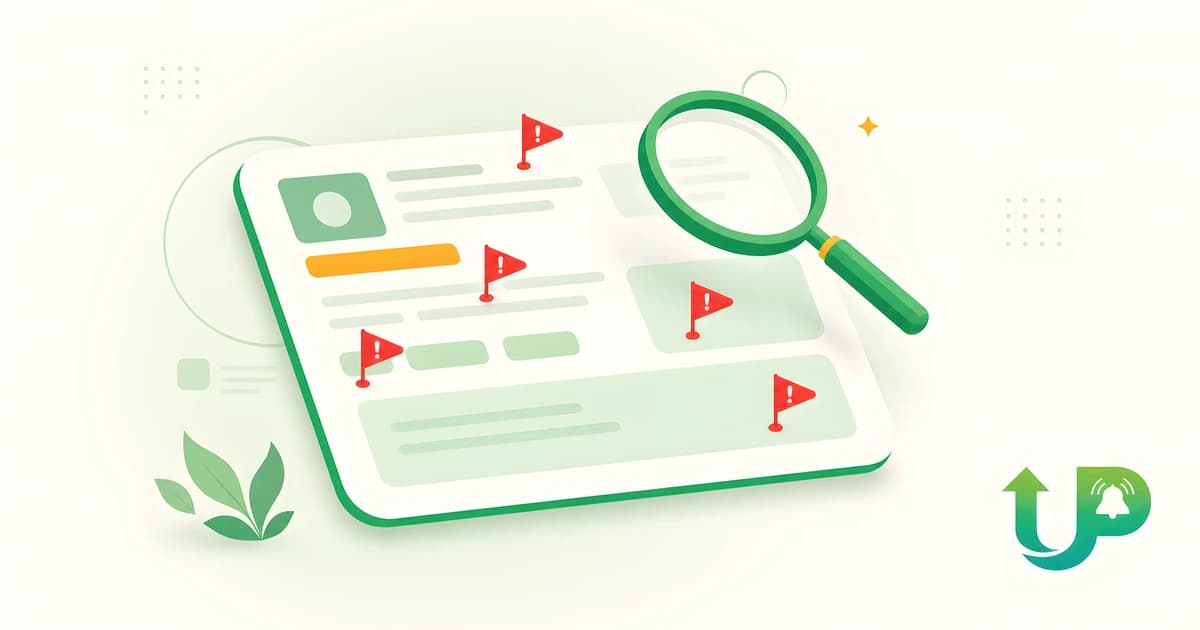
Here is what that scorecard looks like on a live post. The card below is a composite of patterns we see daily in the feed, with the four flags marked.
1. "Message me on Telegram, WhatsApp, or email" before a contract
The most reliable scam signal there is. Any off-platform contact handle in a post or first reply, before you've signed a contract, breaks Upwork policy and pulls you off Trust and Safety's radar and off payment protection. Five-second check: scan the post and first message for a handle, number, or "contact me at." Do: stay on Upwork and report it (Upwork Help, 2026).
2. No payment-verified badge, $0 spent, and zero hires (the verification triad)
A brand-new client with no payment method verified, $0 total spent, and no past hires is the highest-risk profile on the platform. None of the three alone proves a scam. Together they should drop the job to the bottom of your list. Five-second check: read the client panel for the badge, total spent, and hire count. Do: weight all three heavily before spending a Connect.
3. Any request for upfront fees, deposits, or "buy this first"
Legit clients never ask you to pay to work. An onboarding fee, a "starter kit," a crypto purchase, or equipment you must buy from "our vendor" is a pay-to-work scam. Five-second check: does the post ask you to pay anything at all? Do: stop and report immediately (Upwork Help, 2026).
4. Pay that's too good for the work ("$300/day, no experience needed")
Unrealistic pay for trivial tasks with no interview is bait, built to get you financially and emotionally invested before the real ask lands. Five-second check: does the budget match the scope and the client's spend history? Do: treat "too good to be true" as a flag, not a find (Upwork Help: Scams FAQ, 2026).
5. Vague, copy-paste, or AI-templated descriptions (the Uma-era flag)
Generic, detail-free posts that could fit any freelancer are increasingly AI-drafted in 2026, now that Upwork's Uma helps clients write listings (what Upwork's Uma actually is). This one is a quality and Connects-waste risk, not proof of fraud. Five-second check: is there a real, specific task, or just filler? Do: deprioritize it, and never boost it.
6. A free "test," "trial," or "readiness" task before any contract
A small paid sample inside a contract is normal. A "do this unpaid test to qualify" with no contract is how scammers extract free work or bait your Connects. Five-second check: is the test paid and inside an Upwork contract? Do: never work free off-contract (Upwork Help, 2026).
7. Overpayment or fake-check setups
The client "accidentally" overpays, often steering you to a check or an off-platform processor, then asks you to refund the difference. The original payment bounces, and your real money is gone. Five-second check: is anyone asking you to refund an overpayment, especially off Upwork? Do: never refund, and report it (FTC: fake check scams).
8. Requests for ID, selfies, bank details, or logins
Asking for personal documents or account credentials before a contract is identity harvesting, not hiring. Upwork already handles verification, so a client doesn't need your passport to interview you. Five-second check: is anyone asking for personal data before a contract? Do: send nothing and report (Upwork Help: Scams FAQ, 2026).
9. A known brand's name with a mismatched profile
Posts that drop a famous company or person's name but show no verified badge, a wrong country, and $0 spent are impersonation bait. Five-second check: does the client profile actually match the brand it claims? Do: verify the badge, not the name (Upwork Help, 2026).
How Do Upwork's Verification Signals Actually Help?
Upwork shows you four on-screen signals that filter most fakes before you read a word of the description: payment verified, total spent, hire history, and member-since. In 2026, a post from a client with a verified badge, real spend, and prior hires is far safer than one with $0 spent and no badge (Upwork Help: identity verification, 2026).
Payment verified is the strongest single positive signal, because it means Upwork has confirmed a working payment method on file. Total spent and past hires show the client has actually paid freelancers before. Read them as a triad. A $0-spent account is not automatically a scam, since genuinely new clients exist, but it earns a lower priority until something else proves the job is real.
| On-screen signal | Green (safe) | Yellow (caution) | Red (high risk) |
|---|---|---|---|
| Payment method | Verified | Pending | Not verified |
| Total spent | $1k+ with history | Under $100 | $0 |
| Hires | Multiple past hires | 1 hire | 0 hires |
| Member since | A year or more | Recent months | Today or this week |
This is why reading the signals first is worth real money in 2026. Because connect pricing is dynamic, you decide whether a job deserves your 16 Connects before you spend a minute tailoring a proposal. For how the platform now surfaces jobs at all, see how Uma Recruiter decides who gets seen.
Do You Get Your Connects Back If a Job Is Fake?
Sometimes. Upwork refunds your Connects, both the bid and any boost, when it removes a job for a Terms of Service violation. It does not refund posts that simply expire or never hire (Upwork Help: When Connects are returned, 2026; How will Connects refunds work, 2026).
Here's the asymmetry nobody explains. The refund protects you against scams Upwork actually removes. It does nothing for the time-waster middle: ghost posts and AI-templated bait that never get removed because they break no rule. So the red flags above matter most for exactly the jobs you'll never be refunded for. The refund is also automatic but delayed, since you have to wait for Upwork to act on the post. Treat refunds as a backstop, not a plan. Prevention is the only thing fully in your control.
How Do You Report a Fake Upwork Job?
Click "Flag as inappropriate" in the top-right corner of the job post, choose the reason, add a short description with any evidence, and submit. Your report goes straight to Upwork's Trust and Safety team (Upwork Help: report suspicious activity, 2026).
Reporting matters for two reasons. Staying on-platform keeps your payment protection and your refund eligibility intact, since a removed post is what makes Connects refundable. And reporting protects everyone else. Of the 12,000+ fraudulent posts Upwork removed in 2024, most were flagged by freelancers first (Upwork 2025 Transparency Report). One flag from you can pull a template scam before it drains another freelancer's Connects.
How Does Speed Protect Your Connects?
Seeing a job seconds after it posts lets you read the client panel and run the nine checks before you spend Connects, not after. Speed does more than win bids. It lets you triage fakes early instead of rushing a proposal onto a stale post hours later, when you're tempted to skip the checks.
We run a real-time pipeline on the live Upwork feed, so we see the same scam templates recur across thousands of posts. The same Telegram-handle pattern. The same $0-spent reposts under five different client names in a single week. The same copy-paste description cloned across categories. That repetition is what the checklist above encodes. When you read a fresh post the moment it lands, the verification signals are right there to read, and the flag-or-skip decision takes five seconds.
To be transparent, real-time alerts are our product. UpAlerts surfaces new Upwork jobs the moment they post, on WhatsApp, Slack, webhook, or your phone, so you can read the signals and run the checklist while the post is fresh. That's the one pitch in this article. Get real-time Upwork job alerts and triage fakes before they cost you a Connect.
The Bottom Line
If you remember one thing, make it off-platform contact. A push to Telegram, WhatsApp, or email before a contract is the cleanest scam signal there is. Two or more flags on a post means skip and report. Read the verification triad before you spend a Connect, and remember you only get Connects back when Upwork removes a post for a Terms of Service violation, so prevention beats refunds every time.
Frequently Asked Questions
How do you know if an Upwork job is real?
To spot fake Upwork jobs, check four signals before you read the description: payment verified, total spent, prior hires, and member-since. A verified client with real spend and past hires is far safer than a new, unverified, $0-spent account. No single signal is proof, so read them together (Upwork Help, 2026).
Is it a scam if a client asks to talk on Telegram or WhatsApp?
Almost always. Any off-platform contact handle before a contract violates Upwork policy and removes your payment protection. Keep every message on Upwork and report the post or the user. This is the single most reliable scam signal on the platform (Upwork Help, 2026).
Do you get Connects back if a job turns out to be fake?
Only if Upwork removes the job for a Terms of Service violation. Then it refunds your bid and any boost automatically, though after a delay. Jobs that simply expire or never hire don't trigger a refund, which is why the red flags matter most for posts Upwork won't remove (Upwork Help, 2026).
Why are there so many low-quality job posts on Upwork in 2026?
Since 2025, Upwork's Uma AI helps clients draft job posts, so more listings read as vague and templated. Many aren't scams, but they bait the same Connects, so the same checklist applies. Treat AI-templated vagueness as a quality flag, not a fraud accusation (what Upwork's Uma is).
How do I report a fake job on Upwork?
Click "Flag as inappropriate" in the top-right of the job post, choose a reason, add details, and submit. Your report goes to Trust and Safety, which removed 12,000+ fraudulent posts in 2024. Removal is also what makes your Connects refundable (Upwork, 2026).
Sources
- Upwork Help Center, "Understanding and using Connects", retrieved 2026-06-13, support.upwork.com
- Upwork Help Center, "How to boost your proposal", retrieved 2026-06-13, support.upwork.com
- Upwork, "Upwork's 2025 Transparency Report" (12,000+ fraudulent posts removed in 2024, most flagged by freelancers), retrieved 2026-06-13, upwork.com/blog
- Upwork Help Center, "Recognize red flags and avoid scams", retrieved 2026-06-13, support.upwork.com
- Upwork Help Center, "Scams Frequently Asked Questions", retrieved 2026-06-13, support.upwork.com
- Upwork Help Center, "How to get the identity verification badge", retrieved 2026-06-13, support.upwork.com
- Upwork Help Center, "When Connects are returned", retrieved 2026-06-13, support.upwork.com
- Upwork Help Center, "How will Connects refunds work", retrieved 2026-06-13, support.upwork.com
- Upwork Help Center, "How to report suspicious user activity", retrieved 2026-06-13, support.upwork.com
- U.S. Federal Trade Commission, "How to spot, avoid, and report fake check scams", retrieved 2026-06-13, consumer.ftc.gov
- Entrepreneur, "One-Quarter of Jobs Posted Online Are Fake 'Ghost Jobs'" (Greenhouse data, general labor market), retrieved 2026-06-13, entrepreneur.com
Read more

How Many Connects Do Upwork Proposals Cost in 2026?
One Upwork Connect costs $0.15, but a single proposal can run 6 to 40 or more Connects. Here is what they really cost in 2026, and how to spend fewer.

Upwork Uma Instant Interviews: A Freelancer's Prep Guide
Upwork's Uma instant interview is a 5-to-10-minute AI-scored video that replaces your cover letter, no retakes. A prep checklist plus the privacy fine print.

Upwork's Variable Service Fee (0-15%) Explained for 2026
Upwork replaced its flat 10% fee with a variable 0-15% service fee on May 1, 2025, locked per contract. Here is what determines your rate and how to pay less.