
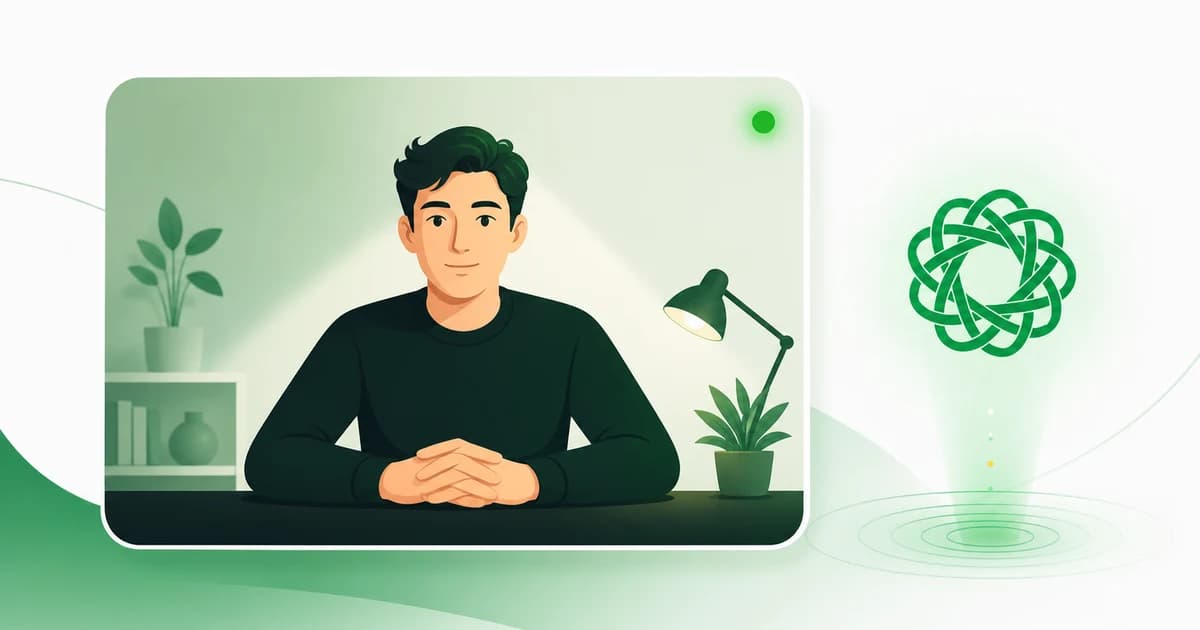
You get one take. On a growing number of Upwork job posts, before your proposal even exists, an AI named Uma records you answering the client's questions, scores what you said, and files the video away. There's no retake button after you submit. Upwork's help pages explain which buttons to tap. Nobody explains how to actually win the thing, or what happens to the footage afterward. This guide fixes both: a prep checklist you can run in one sitting, what Uma actually scores, and the privacy fine print Upwork never surfaces inside the interview flow. New to Uma altogether? Start with what Uma is and everything it does.
Key Takeaways
- An Uma instant interview is a 5 to 10 minute recorded video Q&A that replaces the cover letter on job posts where the client enables it. It launched July 23, 2025 (Upwork, 2025).
- You can't retake it once your proposal is submitted, so preparation matters more than polish. Uma scores your transcript, not your looks, according to Upwork's own description of the system.
- Your recording, transcript, and summary go to the client, and Upwork doesn't publish how long they're kept. Since January 5, 2026, your platform data also defaults into AI training, and opting out isn't retroactive.
- The upside: jobs that require a video interview draw fewer proposals, so a strong, well-spoken take can win you a much shorter line.
What Is an Uma Instant Interview?
An Uma instant interview is a 5 to 10 minute recorded video Q&A run by Uma, Upwork's AI, during proposal submission. On job posts where the client switches it on, it replaces the written cover letter. Upwork launched the feature on July 23, 2025, as part of recasting Uma into an "AI work agent" (Upwork, "Upwork Evolves Uma AI into AI Work Agent," July 2025; SiliconANGLE, July 2025).
Here's what separates it from a normal Upwork call. A regular video meeting happens after a client picks you, with a human on the other end. An instant interview happens before anyone reads your proposal, with no human present at all. Uma asks the client's own custom questions, one at a time, and records your answers. Upwork's product page says Uma "scores every interview" and hands the client a summary, a timestamped recording, and a question-by-question transcript (Upwork, "Uma," 2026). The interview runs in English only.
Is this part of Upwork's Spring 2026 update? No, and that confusion is worth clearing up. Instant interviews shipped in July 2025. The May 2026 Spring release never mentioned them. What changed in 2026 is the funnel around them: Upwork's Spring 2026 redesign put Uma Recruiter on every client's Basic plan, so the same AI-first screening that produces instant interviews now reaches ordinary job posts, not just the premium ones.
How Does the Instant Interview Actually Work?
You start an instant interview from inside the proposal flow, not from your inbox or a calendar invite. Uma presents the client's custom questions one at a time, records your video answer to each, then attaches the scored interview to your proposal. Once you submit that proposal, the interview is final (Upwork Help, "How to take an instant interview," 2026).
How many questions will you get? That's up to the client, who writes them and locks them in before the job post goes live, so there's no universal number to rehearse against. What stays consistent is the shape: read the question, answer on camera, move to the next, review, submit. You can still attach optional notes or files to the proposal alongside the finished interview.
Connects work the way they always do, with one reassuring wrinkle. Taking the interview costs nothing. You're only charged Connects when you actually submit the proposal, so you can start an interview, decide the job isn't worth it, and back out without spending a thing. Withdraw a submitted proposal later, though, and those Connects aren't refunded (Upwork Help, 2026).
What If the Interview Won't Upload?
Sometimes it just breaks, and the cost is steep: a failed upload can take both your recording and your one shot at the proposal, with nothing to recover. Upwork has acknowledged the problem. Its status page logged an incident on August 13, 2025 under the title "issues related to UMA chat and AI interviews not working" (Upwork status, August 2025).
When I took one, it failed. I recorded every answer, then Upwork simply would not upload the video. The screen hung on a prompt telling me to keep speaking or press continue, I waited, and the submission never completed. The recording was gone, and so was my shot at that job. There's no undo button. And I'm not alone: a freelancer documented the identical arc in February 2026, every question answered and then "the submission failed, the video was not uploaded," on two straight attempts (LinkedIn, February 2026).
The usual culprit is your connection. Upwork's own guide admits an upload can "stall or fail" if your internet drops, and an instant interview "can't be paused or restarted" (Upwork, "Guide to AI Interviews," 2026). One hiccup at the wrong moment can end the whole attempt. So give yourself two defenses: use the most stable connection you have, and don't refresh, switch networks, or navigate away while it uploads.
How Do You Prepare for an Uma Instant Interview?
Because there's no retake, the real work happens before you tap start. Upwork's own guidance is straightforward: review the job post, anticipate the questions, keep your answers concise, and check your mic, camera, and quiet space first (Upwork Help, "How to take an instant interview," 2026). The freelancers who do well treat it like a scored exam, because that's exactly what it is.
This isn't a one-off hoop, either. In 2026, AI interviews went mainstream fast: 63% of job seekers say they've now faced one, up 13 points in just six months (Greenhouse, "Candidate AI Interview Report," May 2026, n=2,950). Those figures cover the general job market, not Upwork specifically, but the direction is unmistakable. Getting comfortable in front of an AI interviewer is a skill worth building once and reusing everywhere.
Here's the one-sitting checklist:
| # | Step | Why it matters |
|---|---|---|
| 1 | Re-read the job post and list its exact skill and deliverable phrases | Uma scores how well your answers align to the post |
| 2 | Draft likely questions across four types: behavioral, situational, technical, logistical | Upwork groups interview questions into these categories |
| 3 | Pick 2 to 3 portfolio proof-points you can describe out loud | Spoken proof beats a link Uma can't click |
| 4 | Tech check: wired or strongest Wi-Fi, mic, camera, lighting, quiet room | Uploads stall or fail when the connection drops mid-interview |
| 5 | Structure each answer as claim, example, outcome, in 60 to 90 seconds | Concise, complete answers transcribe cleanly |
| 6 | Say the job post's keywords out loud while you answer | Scoring reads your transcript, so speak the terms |
| 7 | Record one full practice run on your phone and play it back | You'll catch the filler you don't notice live |
| 8 | Once you start, don't refresh, switch networks, or navigate away | The interview can't be paused or restarted, and a failed upload can cost the whole take |
The trick nobody mentions: Uma transcribes your answers and scores the text against the job post, so treat your spoken words like search keywords. If the post asks for "Shopify email flows in Klaviyo," say "Shopify," "email flows," and "Klaviyo" out loud, in those exact words. Think of it as answer-engine optimization for your own voice: the precise terms, spoken plainly, land better than a polished paraphrase that never names the skill. The same input-by-input thinking wins you the shortlist, which we break down in the Uma Recruiter guide.
What Does Uma Evaluate, and What Does It Claim Not To?
Upwork's stated position is that instant interviews evaluate "the information you share about your skills and experience, not how you look, sound, or where you're from" (Upwork Help, "Use instant interviews," 2026). In plain terms: the official claim is that Uma scores the content of your answers, not your face, your accent, or your background.
Take that as Upwork describing its own system, not as an audited fact. No independent review of how Uma scores has been published, so there's no outside confirmation that the model ignores what the company says it ignores. Why does the distinction matter beyond trust? Because it's also a legal line. AI tools that analyze facial expressions or vocal patterns can trigger consent duties under Illinois' AI Video Interview Act and biometric-privacy exposure under BIPA. In Deyerler v. HireVue (2024), a court let biometric claims proceed against an AI video-interview platform (Epstein Becker Green, 2024). Upwork's content-only framing keeps it on the safer side of that line.
Freelancer skepticism has data behind it. In 2026, only 21% of job seekers believed employers use AI responsibly in hiring, and 36% reported perceiving age bias from interviewers, human and AI alike (Greenhouse, May 2026). Once more, that's the general market, not Uma specifically, but it's the sentiment every freelancer carries to the camera.
The Privacy Fine Print: What Happens to Your Recording?
Your interview doesn't vanish when the application closes. It becomes three lasting artifacts: a scored summary, a timestamped video recording, and a full question-by-question transcript, all visible to the client who required the interview. What Upwork doesn't publish anywhere is how long those files are kept, or how you would get them deleted (The Customer's Shoes, "Upwork Instant Interviews privacy analysis," February 2026).
Here's the fine print assembled in one place, which no other freelancer guide has done:
| The artifact | Who sees it | Your control | Left undocumented |
|---|---|---|---|
| Scored summary | The client who required it | None after you submit | How long it's retained |
| Timestamped video | The same client | Can't stop off-platform screen capture | Any deletion path |
| Full transcript | The same client | None after you submit | Whether it's reused later |
Then there's the training question, which changed in 2026. Since January 5, 2026, Upwork's updated User Agreement and Privacy Policy default your platform data into AI training. Work product and private communications need both parties opted in before they're used; marketplace data needs only one party. The controls live under Settings, in the AI Preferences section (terms.law attorney analysis, December 2025; Upwork Help, "How to control your AI preferences," 2026).
One detail deserves a hard look: opting out isn't retroactive. Content shared while you were opted in can still be used to train models after you flip the switch (Upwork Help, 2026). So the setting only protects what comes next, never what you've already recorded.
What about the law? It mostly doesn't reach you here. Illinois has required notice and consent for AI-analyzed video interviews since 2020, and a 2026 amendment to its Human Rights Act, effective January 1, 2026, broadly bars AI-driven discrimination in hiring (Hinshaw & Culbertson, 2026). New York City's Local Law 144 separately mandates bias audits of automated hiring tools (NYC DCWP). All of it targets employers, though. A freelance marketplace running AI interviews on independent contractors sits largely outside these rules. The fine print, not the law, is your protection. So do one thing before your first instant interview: open Settings, find AI Preferences, and set your defaults on purpose instead of accepting them by inertia.
Should You Take the Interview or Skip the Job?
If the job post requires an instant interview, the choice is binary: no interview, no proposal, even when the client personally invited you. So the real question isn't whether to click, it's whether this specific job is worth a recorded, scored, one-take interview. That's not a trivial ask. In 2026, 38% of job seekers said they walked away from a hiring process specifically because it used an AI interview (Greenhouse, May 2026).
Run four quick tests before you commit:
- Budget versus threshold. Is the pay and quality worth handing a recording and transcript to a client under retention rules nobody has published?
- Time on the clock. Do you have 20 minutes to prepare right now? A rushed take is worse than no take, because there's no retake.
- Settings first. Have you set your AI Preferences the way you actually want them? Do that before the interview, not after.
- Connection check. Is your internet rock-solid right now? As I found the hard way, a failed upload can cost the recording and the proposal slot, with no recovery.
My honest take: I apply to these on purpose. Look again at that 38% who walk away, because they're walking away from your competition. A post that requires a video interview draws fewer proposals, and fewer still from people who can explain their work clearly on camera. When I see a job that needs an Uma interview, I apply for sure. A recorded answer where you lay out, in plain English, exactly how you'd solve the client's problem earns more trust than any written proposal. Most clients hire in English and want someone who communicates well and comes across as presentable. The interview that scares everyone else off is the one that puts you in a much shorter line.
There's a timing angle too. Uma-era hiring moves fast: on Business Plus, Uma Recruiter can build a client's shortlist within six hours of a job going live (Upwork, October 2025). Spotting a relevant job within minutes of it posting means you take the interview calm and prepared, instead of racing a queue that's already filling. That's the whole reason real-time Upwork job alerts exist. For the other half of the Uma funnel, see how to get shortlisted by Uma Recruiter.
Frequently Asked Questions
Do I have to take an instant interview on Upwork?
Only if the job post requires it. On a required post you can't submit a proposal without completing the interview, even if the client invited you directly. On posts where it's optional, you can apply normally with a written proposal instead (Upwork Help, 2026).
Can you retake an Upwork instant interview?
No. Once you submit the proposal, the interview is final. You can add notes or attachments to the proposal alongside it, but you can't re-record your answers (Upwork Help, 2026). That's why preparing before you start matters so much.
Who can see my interview recording and transcript?
The client who required the interview receives a summary, a timestamped video recording, and a question-by-question transcript. Upwork does not publish how long those files are retained or how to have them deleted (Upwork Help, 2026; The Customer's Shoes, February 2026).
Does Uma judge my accent or appearance?
Upwork says no. It states that instant interviews evaluate "the information you share about your skills and experience, not how you look, sound, or where you're from." That's Upwork's own description of its system, and no independent audit of Uma's scoring has been published (Upwork Help, 2026).
Do instant interviews cost Connects?
The interview itself is free. You're not charged if you take it and decide not to submit. Connects are spent on the proposal as usual, and they aren't refunded if you later withdraw a submitted proposal (Upwork Help, 2026).
The Bottom Line
An Uma instant interview rewards preparation over polish. Three things carry the day. First, you get one take, so do your prep before you tap start. Second, Uma scores your transcript, so say the job post's exact skills out loud. Third, set your AI Preferences before you record, because opting out won't erase what's already captured and nobody has published how long the recording is kept.
The freelancers who win these arrive early and ready. Real-time Upwork job alerts put the right job in front of you within minutes of posting, so you're recording your one take while the queue is still empty, not scrambling after it fills.
Sources
- Upwork, "Upwork Evolves Uma AI into AI Work Agent" (instant interviews launch, July 23, 2025), retrieved 2026-06-13, investors.upwork.com
- SiliconANGLE, "Upwork launches AI-conducted interviews to help employers sift job applicants faster," retrieved 2026-06-13, siliconangle.com
- Upwork Help Center, "How to take an instant interview," retrieved 2026-06-13, support.upwork.com
- Upwork Help Center, "Use instant interviews," retrieved 2026-06-13, support.upwork.com
- Upwork, "Uma, Upwork's Mindful AI," retrieved 2026-06-13, upwork.com/uma
- Greenhouse, "Candidate AI Interview Report" (63% have faced an AI interview; n=2,950), retrieved 2026-06-13, greenhouse.com
- terms.law, "Upwork AI Privacy Update 2026" (January 5, 2026 policy change analysis), retrieved 2026-06-13, terms.law
- Upwork Help Center, "How to control your AI preferences on Upwork," retrieved 2026-06-13, support.upwork.com
- The Customer's Shoes, "Upwork instant interviews: Uma and freelancer privacy risk," retrieved 2026-06-13, thecustomersshoes.com
- Hinshaw & Culbertson, "Illinois Adopts New AI-in-Employment Regulations for 2026" (Human Rights Act amendment, effective January 1, 2026), retrieved 2026-06-13, hinshawlaw.com
- NYC Department of Consumer and Worker Protection, "Automated Employment Decision Tools" (Local Law 144), retrieved 2026-06-13, nyc.gov
- Epstein Becker Green, "Deyerler v. HireVue Expands Biometric Privacy Law to AI Video Interview Platform," retrieved 2026-06-13, workforcebulletin.com
- Upwork, "Business Plus Offering Adds New AI Tools" (Uma Recruiter under-six-hour shortlist), retrieved 2026-06-13, globenewswire.com
- Upwork Status, "Investigating issues related to UMA chat and AI interviews not working" (incident, August 13, 2025), retrieved 2026-07-18, isdown.app mirror
- Dayan Ahmed, "Upwork AI interview bug report: video upload failure" (first-hand account, February 2026), retrieved 2026-07-18, linkedin.com
- Upwork, "Guide to AI Interviews: What to Know in 2026" (uploads can stall or fail; interviews can't be paused or restarted), retrieved 2026-07-18, upwork.com/resources
Read more
How to Get Shortlisted by Uma Recruiter on Upwork
Upwork's Uma Recruiter AI now shortlists freelancers for every client within ~6 hours of a job post. What it reads, and how to optimize each input.
What Is Upwork Uma? A Freelancer's Guide (2026)
Uma is Upwork's Mindful AI. It drafts your proposals (about 10 free a week) and shortlists you for clients in 6 hours. What Uma does in 2026, and if it helps.

How Many Connects Do Upwork Proposals Cost in 2026?
One Upwork Connect costs $0.15, but a single proposal can run 6 to 40 or more Connects. Here is what they really cost in 2026, and how to spend fewer.